
To access the various methods to activate, connect and manage your ASL connection in your app, please follow these steps:
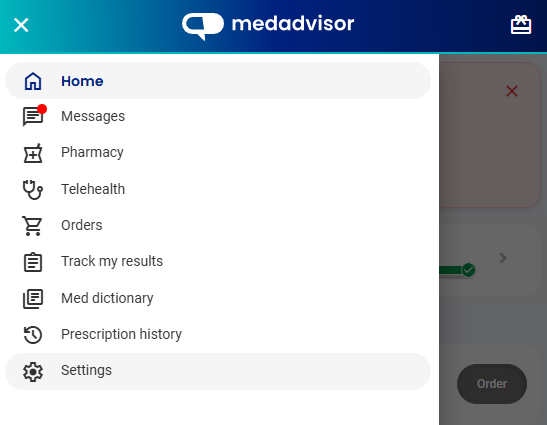
- Select the menu icon in the top left-hand corner of the app

- Select Settings
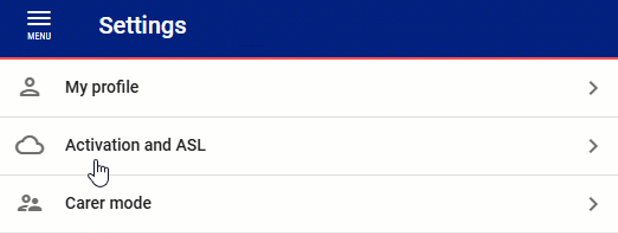
- Select Activation and ASL
To access the various methods to activate, connect and manage your ASL connection in your app, please follow these steps: