To access and update your pharmacy opening hours that display in the app, please follow these steps:
- Select Settings in the top right-hand corner of MedAdvisor for Pharmacy and select App Settings
- Select the Opening hours tab

- Enter your opening hours for each day (including Closed)
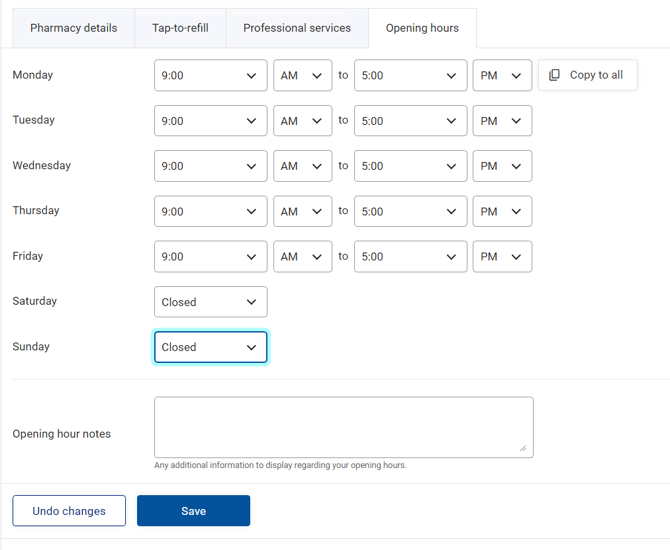
Please note: Select Copy to all to populate all days with the same hours
- Select Save