
Please follow these steps:
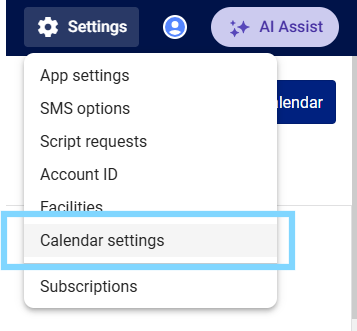
- Select the Settings icon and choose Calendar Settings
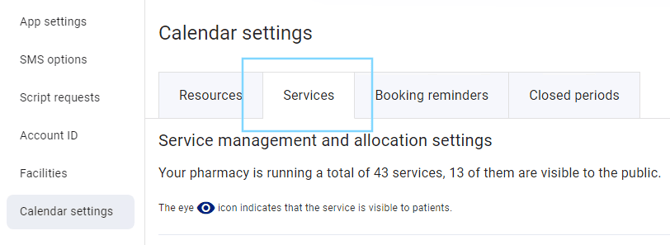
- Select the Services tab
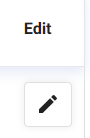
- Scroll down to locate the service you would like to limit bookings for, and select the pencil icon to edit
- The Edit service pop-up will appear. Under Booking limit, select the check box Limit bookings for this service
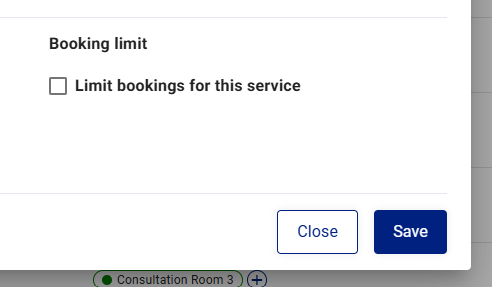
- Enter the limit amount and days running
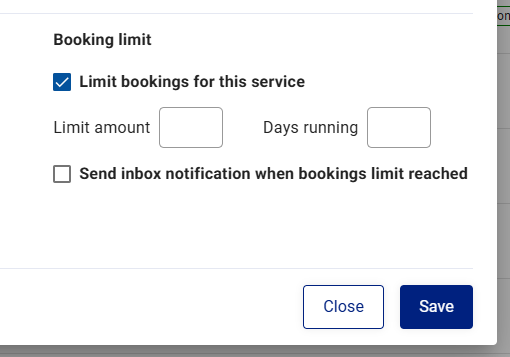
Please note: Select the tickbox to send an inbox notification when the bookings limit has been reached to remind you
- Select Save
If you try to manually add a booking after the limit has been reached, you will see the following alert pop-up. You can override this manually. Patients will not be able to book once the limit is reached.