
Please follow these steps:
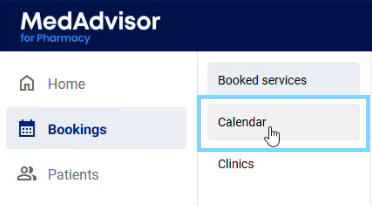
- In the menu select Bookings and Calendar
-
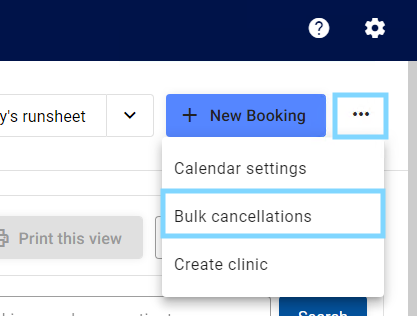
Select the three (3) dots in the top right-hand corner and select Bulk cancellations
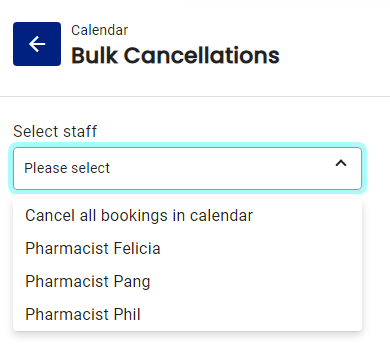
- Under Select Staff, choose if you would like to cancel bookings for a particular staff member OR Cancel all booking in calendar
- Select if you would like to Cancel All bookings or Cancel for a period of time

Please note: If Cancel for a period of time is selected, choose the From and To dates
- Optional - To send affected customers a message regarding their cancelled appointment, select SMS and Email tick boxes and edit the template as needed
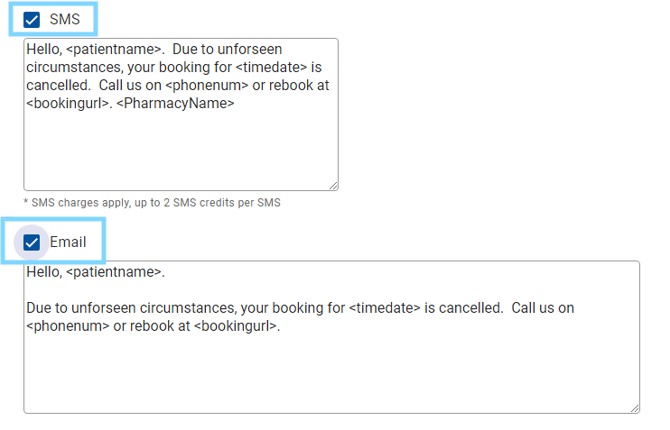
Please note: SMS charges apply.
- Select Submit

-
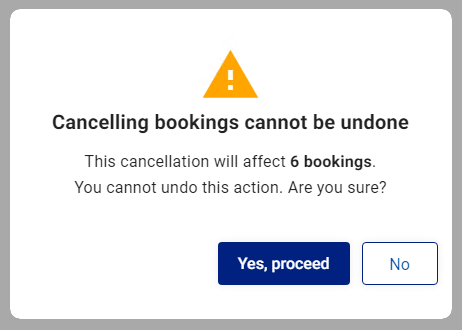
A warning will appear showing you how many bookings are going to be cancelled. Select Yes, proceed
Please note: The SMS and email messages (if selected) will be sent to your customers with bookings.