
Please follow these steps:
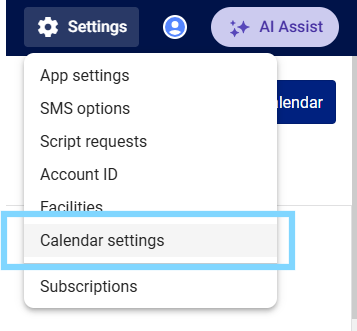
- Select the Settings icon ⚙ in the top right-hand corner of MedAdvisor for Pharmacy and select Calendar settings
- Select the Closed periods tab
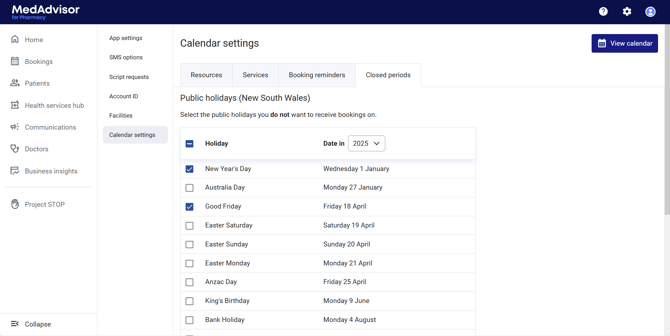
- Select the check box next to the holiday day/date that you do NOT want to receive bookings
- You can also Set bookings closed period to add additional date ranges that you do not wish to receive service bookings. Select Add closed period

- Enter the from and to date and time period and select Save

- The date range will appear under the Closed periods heading
- Select Save