Please note: E-mail and SMS reminders are turned on by default
To turn on/off confirmations and reminders for all bookings, please follow these steps:
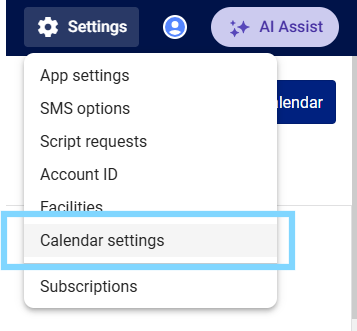
- Select the Settings icon ⚙ in the top right-hand corner of MedAdvisor for Pharmacy and select Calendar settings
- In the Booking reminder tab, under Booking confirmation and reminder details select or deselect the tick box to update your preference.
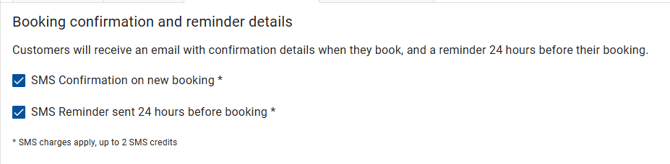
Please note: If you are turning confirmations and/or reminders on, SMS charges apply.
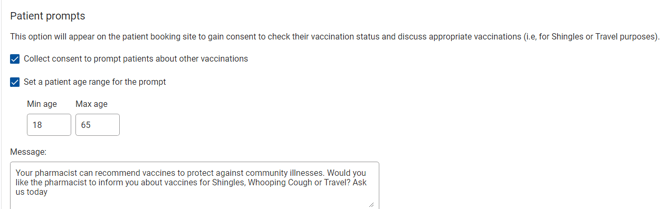
- Under Patient prompts, select the checkbox next to Collect consent to prompt patients about other vaccinations and optionally, select a patient age range and update the wording
- Select Save