Please follow these steps:
- Select Patients in the menu

- Search for the patient, add the patient or select from the recently dispensed list
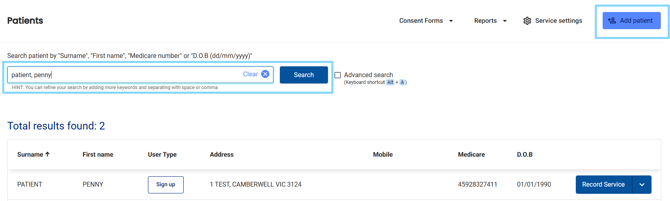
- Select Record Service

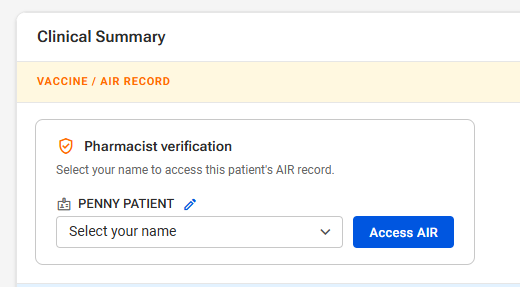
- Under Clinical Summary, select your name from the drop-down list and select Access AIR
- If the details for the patient in dispense, do not match the AIR record, select the pencil icon next to the patients name to edit the details to match to the AIR record and select Use this for lookup
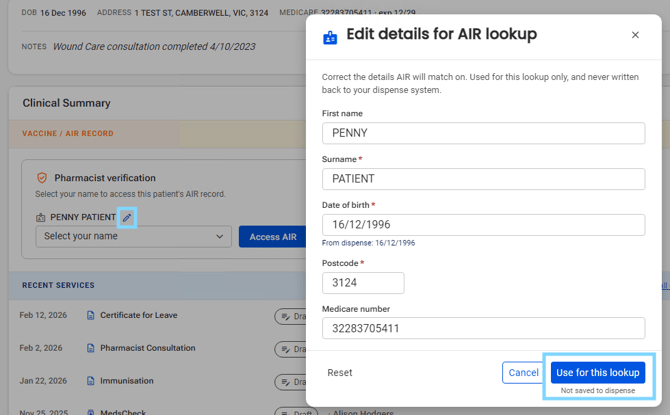
Please note: The updated patient details will not be updated in your dispense system.
- Medadvisor for Pharmacy will retrieve the patients' AIR record and show vaccines to check for this patient as well as the patients vaccine history
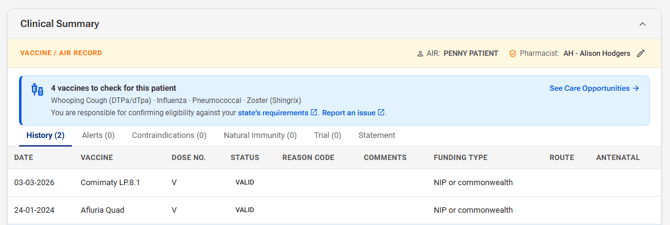
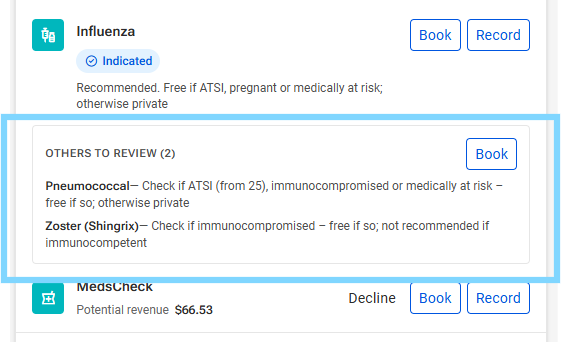
- Select See Care Opportunites to view Due, Overdue and Indicated vaccines.

- All care opportunities and notes, including FREE funded vaccines can be viewed. Select Book to book the patient on your Medadvisor Bookings calendar or Record to open the linked service form
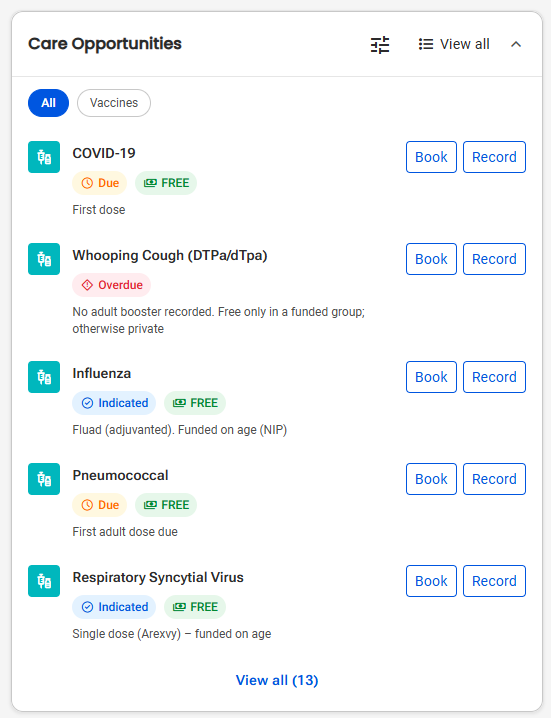
Please note: You can filter by selecting the Vaccines filter
- You may also see OTHERS TO REVIEW. Select Book where applicable