
- Select the Settings in the top right-hand corner of Medadvisor for Pharmacy to launch Subscriptions
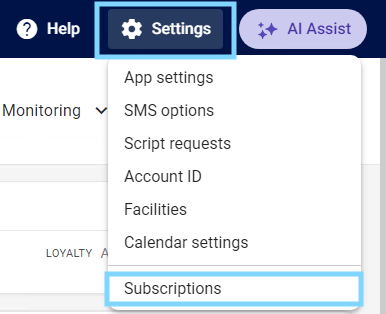
In the Medadvisor Subscription portal, you can:
- View your subscription type
- View invoices
- View disbursement payment records
- Update Subscription details, including billing and re-imbursements information (e.g bank details)
- Update billing name, email, phone number and address
- Update Pay In Advance settings
- Update Delivery options
Please note: You can also set up web access for an' accountant role' to give them access to Subscriptions to view and update payment information.