
To access billing history including invoices, payment history and remittances please follow these steps:
- In Medadvisor for Pharmacy, select Settings
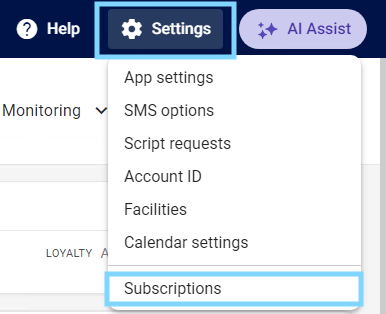
- Select Subscriptions
- A pop-up will appear with your subscription status, billing history and more.
Please note: Scroll down to find the invoice or remittance details and click on the invoice to load a preview. You can download or print the document as required
- Select Update Subscription Details to update and view billing details, disbursement details, pay in advance and delivery.

- If you make any changes, make sure to click Update next to each field, including billing details, disbursement details & pay in advance, and delivery details.

If you have any billing queries, please email payments@medadvisor.com.au