
To activate a patient in the app using carer mode, please follow these steps:
- Obtain an ASL / MySL activation code from the pharmacy for the person being cared for
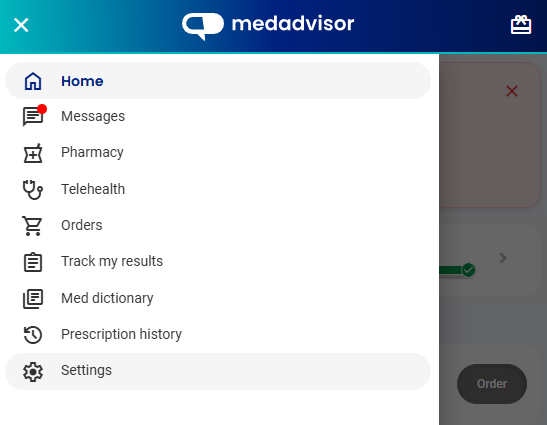
- Login to the app and select Menu and Settings
- Select Activation and ASL
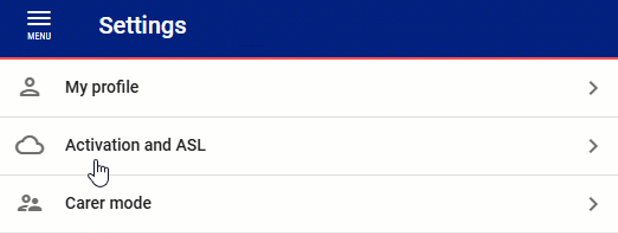
Please note: You can also select Carer mode and then choose Activation and ASL
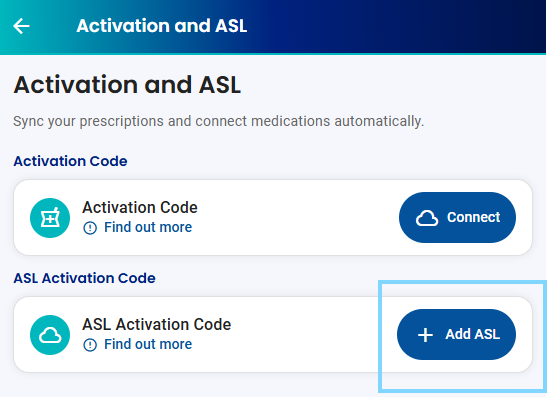
- Select + Add ASL under the ASL Activation Code heading
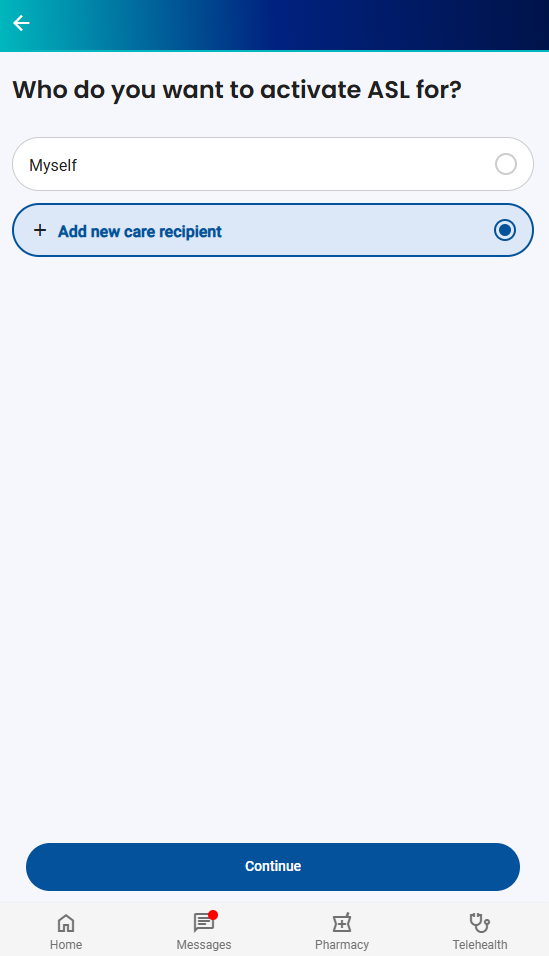
- Select + Add new care recipient and select Continue
- Enter the ASL/MySL activation code and the cared for person's First name, Last name, date of birth and select the consent box and click Continue
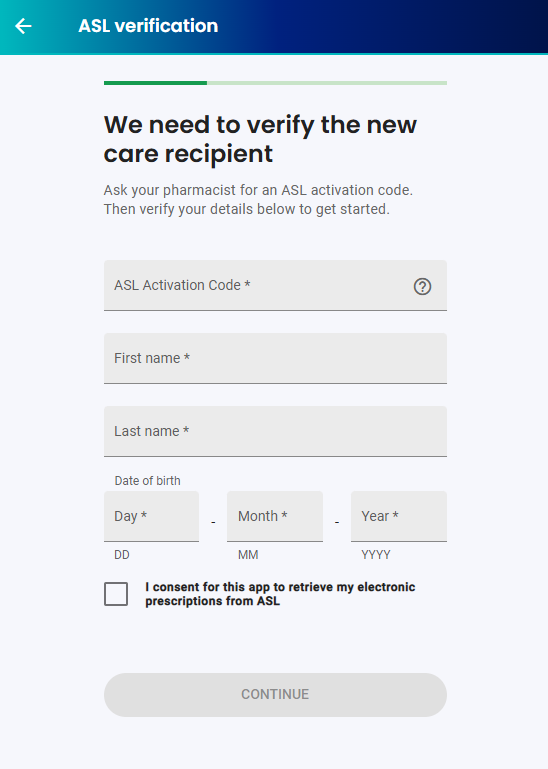
The cared for patients account is now linked to the Active Script List (ASL).