
Please note: You don't need to create anything yourself — a service pushed by your head office is added to your Calendar Settings automatically. You only need to complete the remaining setup steps below. This features is only available to pharmacies who are managed by a head office group.
Please follow these steps:
-
Look out for a pop-up notification in the menu, telling you your head office has pushed a new service.
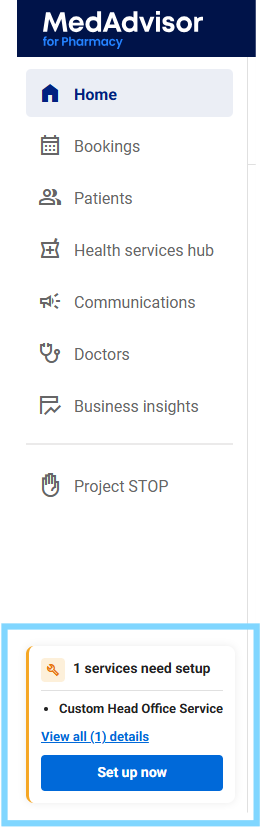
- Select the Set up now, or go to Calendar Settings > Services, to open the service.
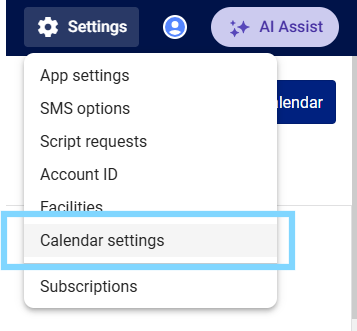
- In your Services list, find the service marked with the HO label — this shows it was pushed from head office.
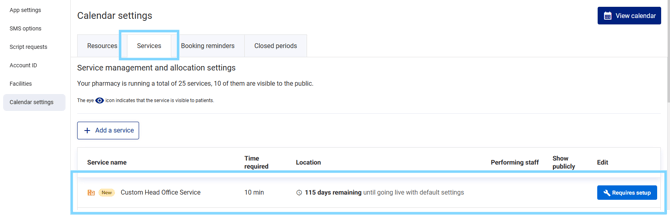
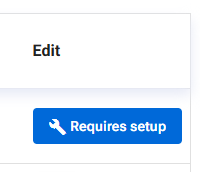
- Select Requires setup to open it, then complete the outstanding setup steps shown in the alert.
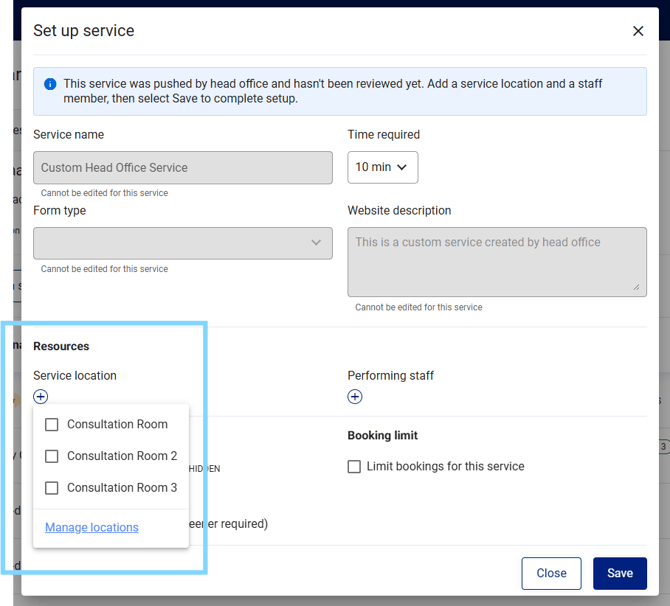
- Set the service Location
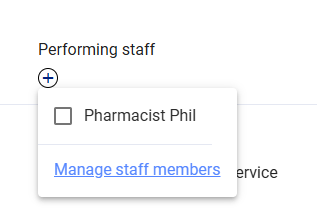
- Assign Performing staff for the service
- Turn on Public availability to make the service bookable by patients

A service pushed by your head office can't be deleted from Medadvisor for Pharmacy. It stays in your Calendar Settings until your head office removes it — if you no longer want to offer the service, contact your head office directly OR ensure the visibility is hidden
- Select Save
What happens next
Once you've set the location, assigned staff, and turned on public availability/visible, the service becomes bookable by patients straight away. Your head office sees this update on their dashboard in real time — you don't need to notify them separately.
The persistent alert in Calendar Settings > Services clears automatically once all outstanding steps for that service are complete.