Please follow these steps:
- In the menu of Medadvisor for Pharmacy select Patients

- Search for the patient by surname, first name, address, medicare number or date of birth OR select from the Recently dispensed customers list OR select Add patient to manually enter the patients details
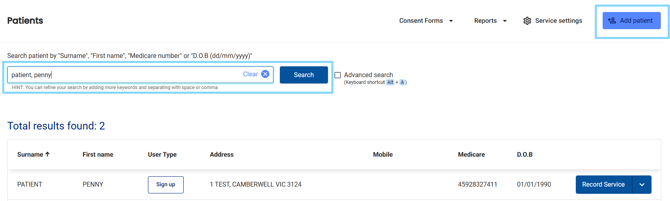
- Next to the patient's details, select Record Service

- Fill out the form including all compulsory fields including your pharmacist details
- Complete the checklist to make sure you have advised the patient correctly

- Select the type of certificate you would like to generate
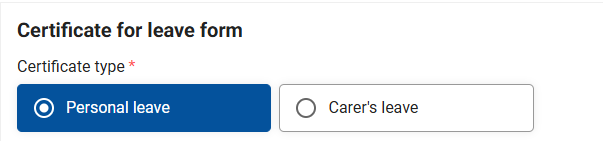
- Enter Illness/Injury as described by the person

- Enter visible symptoms and answer when the symptoms first arose (optional)

- Select Yes or No to the following questions
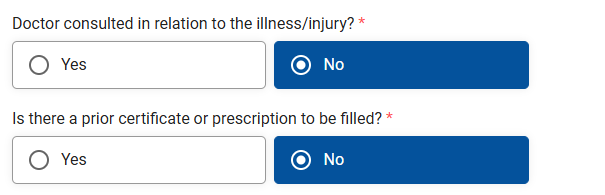
Please note: No is preselected but can be changed
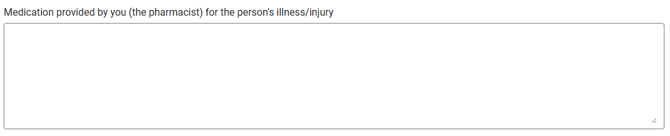
- Enter any medications provided to the patient
- Answer the following question

- Select amount of time off needed from the drop down. Select the start date of the dates covered on the certificate. Today's date is pre-selected but can be changed.
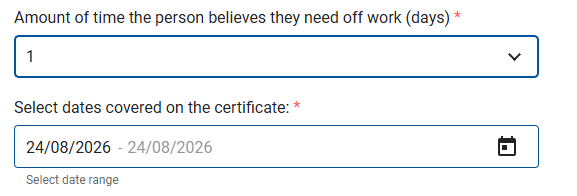
Please note: This correlates with the amount of days off selected in the previous question.
- Answer if you have referred the person to their GP

- To send an email with the Certificate for leave attached, make sure the patients' correct email is entered in the patient information and select the checkbox when the patient consents

Please note: The email will be sent to the patient with the subject: Certificate for leave with an attached PDF version.
- Select Complete

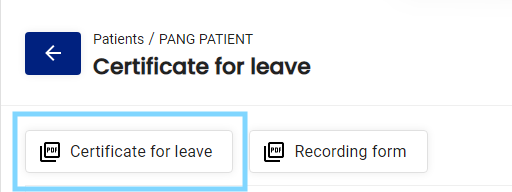
- At the top of the form, click on CERTIFICATE FOR LEAVE to generate a printable PDF for the patient.