
Medadvisor for Pharmacy will generate a report for clinics that will show you:
- Date of booking
- Time of booking
- Patient first & last name
- Name of service
- If the service was recorded in Medadvisor for Pharmacy
To generate the report, you must have a clinic set up.
Please follow these steps:
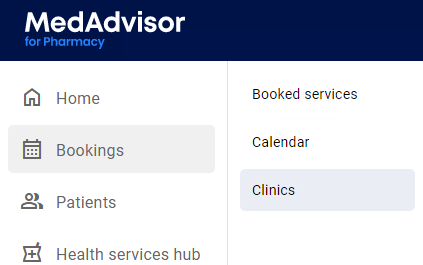
- In the menu, select Bookings and Clinics
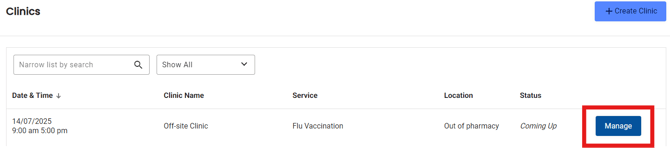
- Select Manage, next to the clinic you would like to generate a report for
- Select Clinic CSV to download the report
