
To to edit the sms messages/templates sent to patients, please follow these steps:
- In the top right-hand corner of MedAdvisor for Pharmacy, select Settings
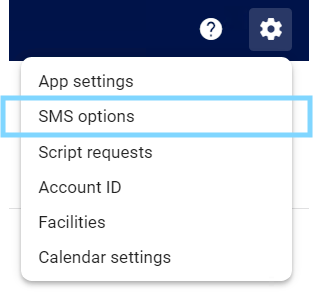
- Select SMS Options
- Scroll to the bottom, you will see Add/Edit message template. Select the message you want to edit in the drop-down menu
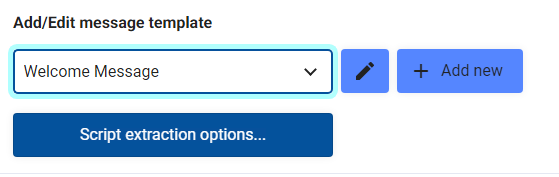
- Select the pencil icon to edit. Update the template as required and select Save & close