
To make services available to the public (visible on your app and customer booking website) please follow these steps:
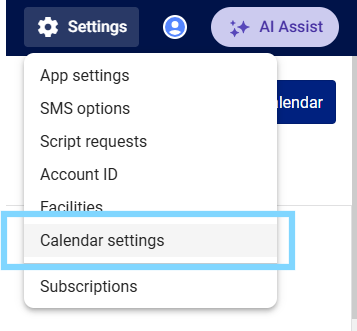
- Select the Setting cog icon in the top-right hand corner and select Calendar settings.
- Select the Services tab
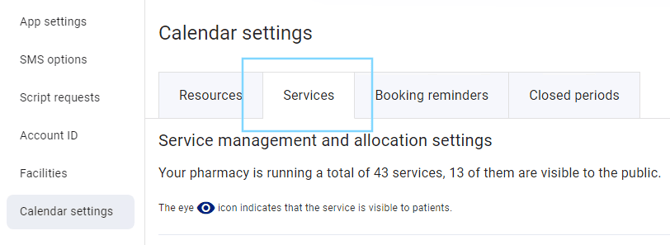
- Find the service you would like to make visible for bookings and select the eye icon in the show publicly column. Reselect to hide.
