
MedadvisorHQ allows admins to manage access of users and control the various features available to each staff user.
Please note: Admins have access to all features.
To update and manage access for staff users, please follow these steps:
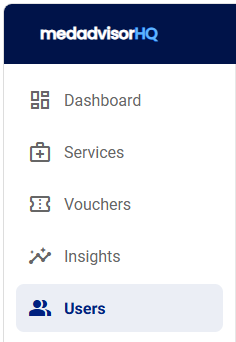
- In the MedadvisorHQ menu, select Users
- Find the staff user who's access like would like to update. Under the Action column, select Manage Access


Please note: Under Role you will see which features the user already has access to e.g Dashboard, Insights and Services.
- In the Manage access pop-up, select the feature toggle you would like the user to have access to e.g Vouchers
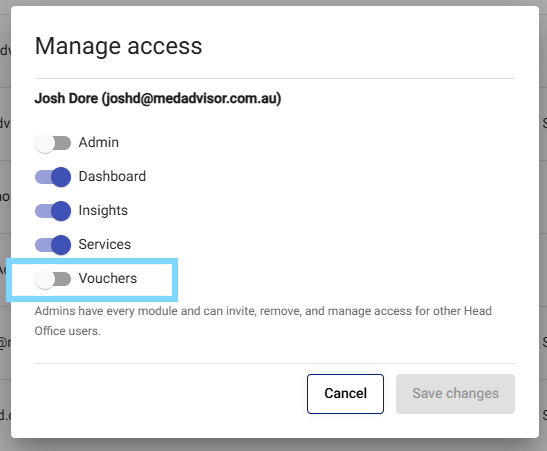
Please note: You can also switch a user to an admin from this section. Select the Admin toggle.
- Select Save changes
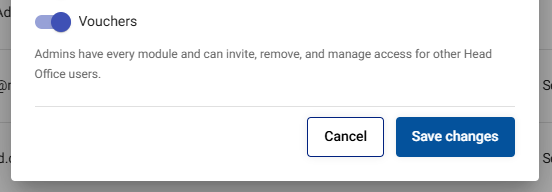
The user will now be able to access the features turned on OR will lose access in the MedadvisorHQ menu to the features that have been deselected.