
To manually add a booking to a clinic, please follow these steps:
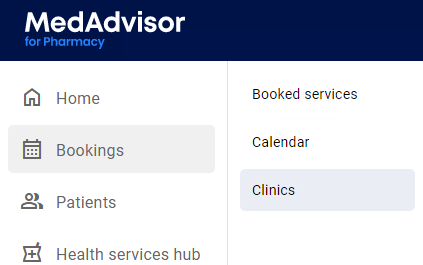
- In the menu, select Bookings and Clinics
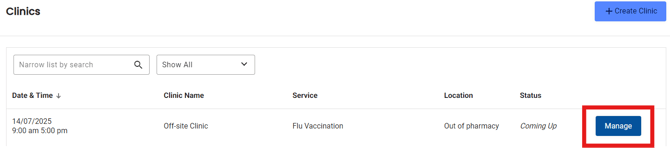
- Select Manage next to the clinic you would like to add a booking to
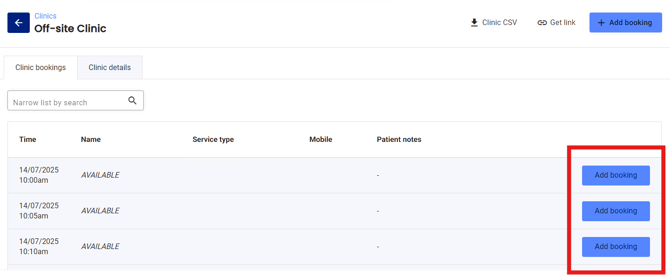
- Under the Clinic bookings tab, you will see a list of all available times. Select Add booking next to the appointment time
- Enter the patient information (including compulsory fields - name, email, address and mobile number)
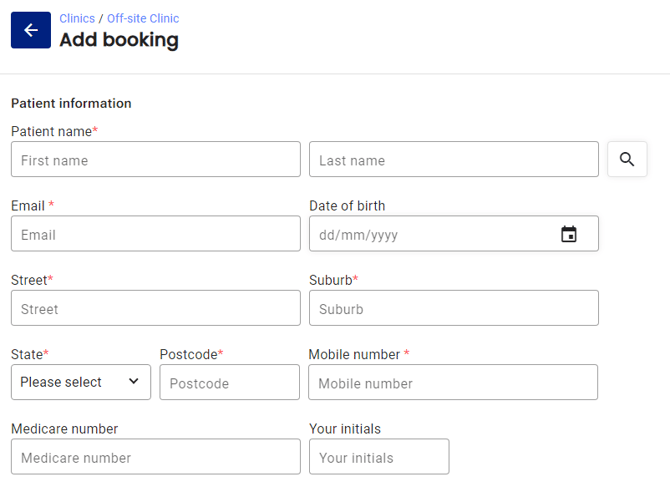
- Alternatively, select the search icon to search for the patient

- Enter your staff initials and any patient notes
- The appointment time will be pre-selected and can be changed

- Select Submit booking
Please note: Patients can book for a clinic via your customer booking URL or by scanning the QR code