
To update your delivery details, please follow these steps:
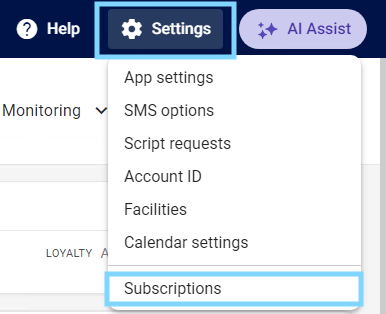
- Select Settings and select Subscriptions
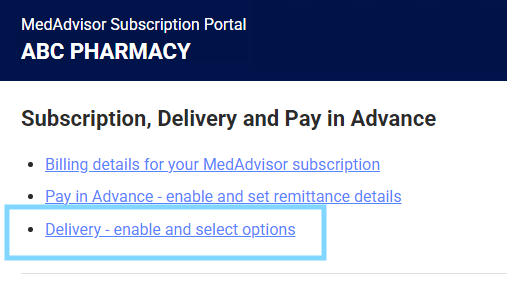
- Scroll down to Delivery – enable and select options
- Ensuring Delivery is enbabled, update price in Default delivery price (only one price can be entered)
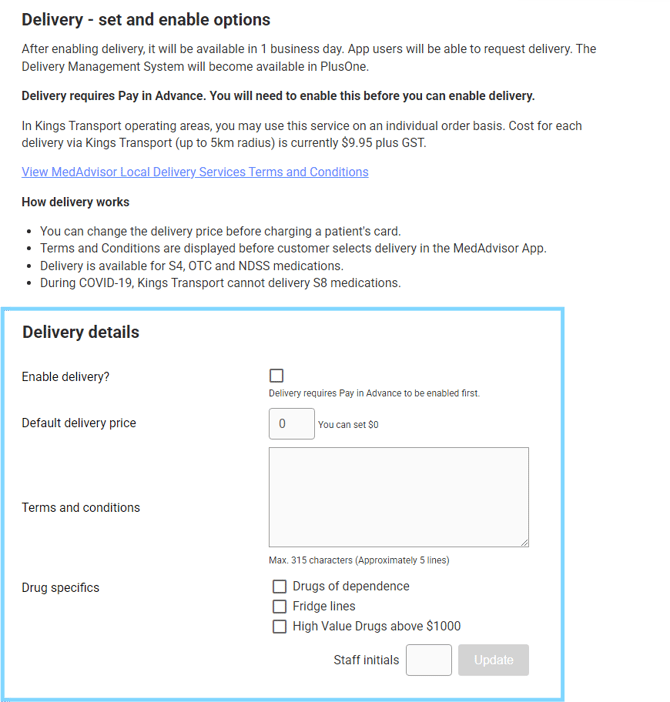
- Enter staff initials and select Update