Skip to content
  • There are no suggestions because the search field is empty.

How to update your pharmacist profile to include HPII and HPIO details

In order to record and update various services, you will need to enter your HPII and HPIO details in your pharmacist / authorised immuniser profile.

Please follow these steps:


  • In the menu, select Patients

MFP Patients menu NEW


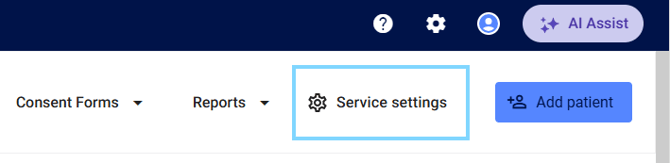
  • Select Service Settings

Service Settings


  • Select Manage pharmacists from the sub-menu
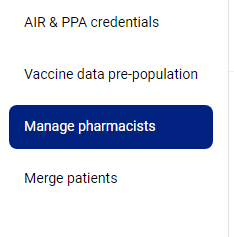
ManagePharmacists


  • Select the pencil icon next to the pharmacist profile you would like to add HPII and HPIO details for

Managepharmacyeditpencil


  • Enter your HPII and HPIO details and select Update details
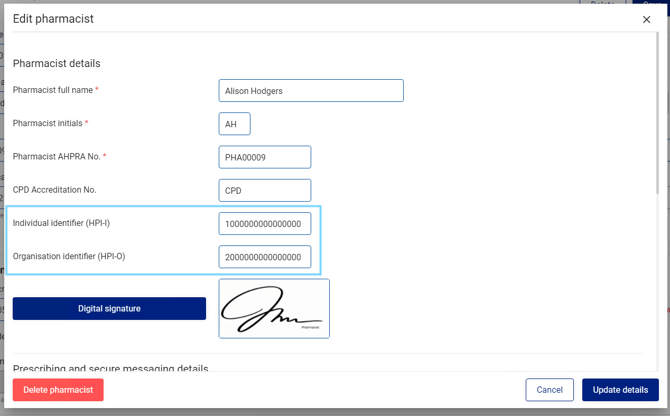
EditpharmacistHPIIHPOO

 Please note: To access your HPII and HPIO details, please login to PRODA.