This section allows you to:
Please follow these steps:
- Add new pharmacists (and authorised immunisers)
- Update details (including information for prescribing and secure messaging)
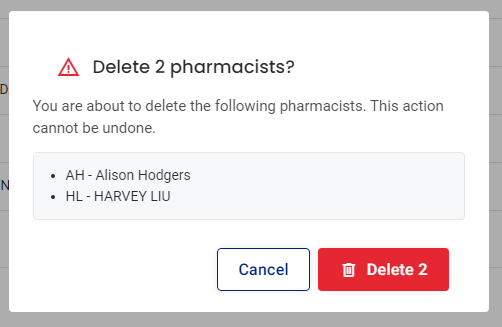
- Delete pharmacists
Please follow these steps:
- Select Patients in the menu

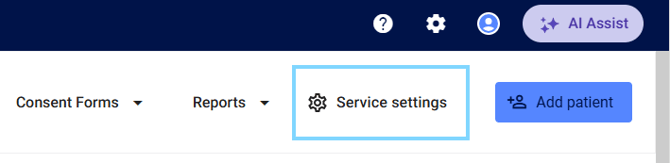
- Select Service settings
-
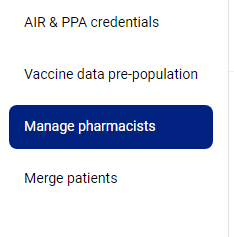
Select Manage pharmacists
- You will see list of all pharmacists (and authorised immunisers) previously added at your pharmacy including:
- Name
- AHPRA Number
- Digitial signature added Y/N
- eRX
- Prescriber Number
- HPI-I
- HPI-O

Add new pharmacist
- Select + Add Pharmacist

- Enter the pharmacist details (including all compulsory fields)
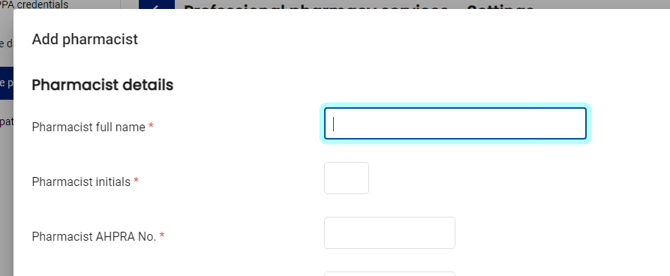
Please note: You will be required to add information into all fields to access full scope of practice services.
- Select Add pharmacist
The pharmacist will now be available to select when recording patient services.
Update details
- Select the pencil icon next to the pharmacist you would like to update information for

- The Edit pharmacist pop-up will appear. Update the details required and select Update details

Delete a pharmacist
- Select the checkbox next to the pharmacist or pharmacists you'd like to delete

Please note: You can also select the trash icon next to each individual pharmacist
- Select Delete selected and choose Delete