Please follow these steps:
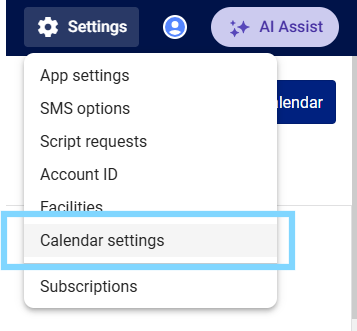
- Select Settings and choose Calendar settings
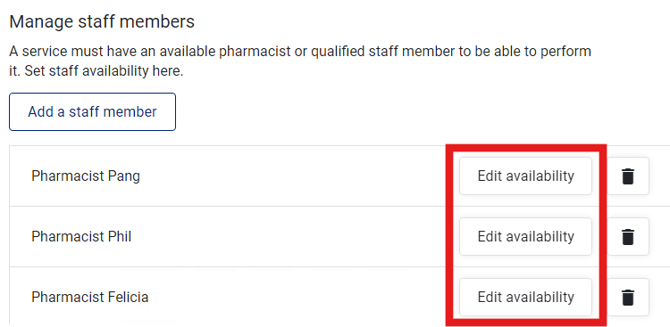
- Scroll down to Manage staff members and select Edit availability next to the staff you would like to update
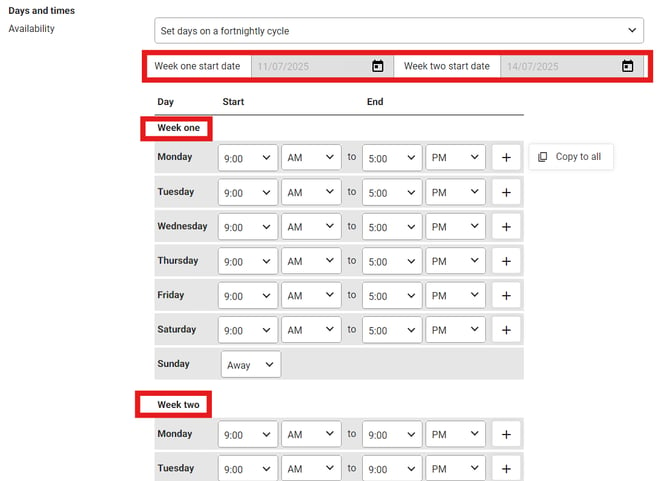
- Under Days and times - Availability, select the drop-down and select Set days on a fortnightly cycle

- Week one and Week two will show. Set the availability for each week, making note of the Week one and Week two start dates at the top.
- Review the availability and select Save