
When you login to MedadvisorHQ, you will see the Dashboard
The MedadvisorHQ dashboard will give you an overview of Network outcomes for the last 30 days. This includes:
The MedadvisorHQ dashboard will give you an overview of Network outcomes for the last 30 days. This includes:
- Pharmacies in your network (total number)
- Booked services, the last 30 days

Outcomes by services
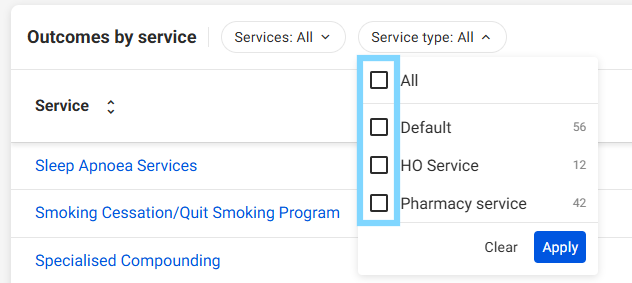
Under outcomes by service, you will be able to see the services and service type available including:
- Default services available in Medadvisor for Pharmacy
- HO Service available that have been added by Head Office
- Pharmacy service that have been added by the pharmacy
- Filter services by Services or by Service type by selecting the drop down and selecting Apply
- Each service row will show how many pharmacies in your network have the service live and available for bookings and how many patients have booked in the last 30 days

Pharmacies
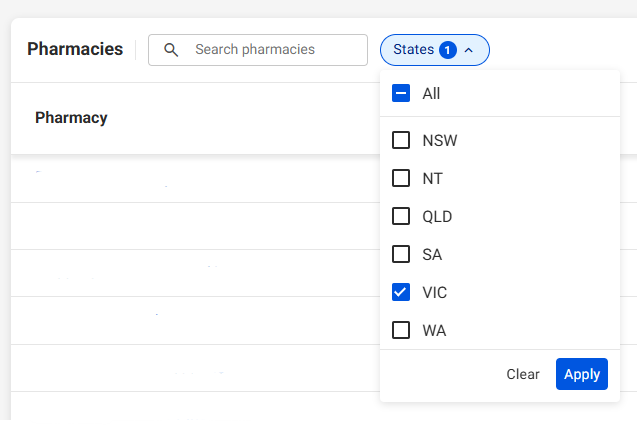
Under the Pharmacies heading you can view all pharmacies in your network by Pharmacy name and State
- Search the pharmacies by name ORselect the drop down to filter by States and select Apply
- Select each Pharmacy name to view the individual pharmacies information

- View the Pharmacy information, including MAID, Display name and address
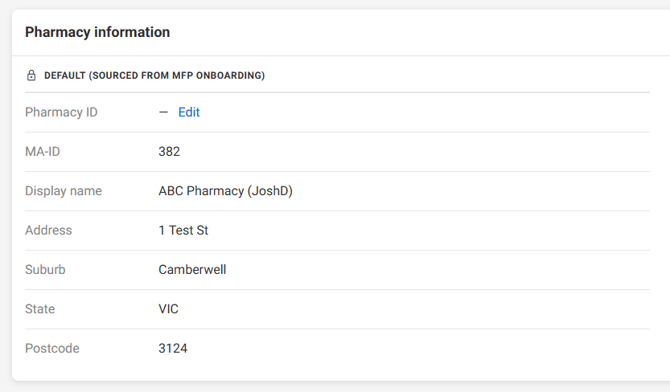
Please note: Select Pharmacy ID - Edit to add your own unique identifier