
Please follow these steps:
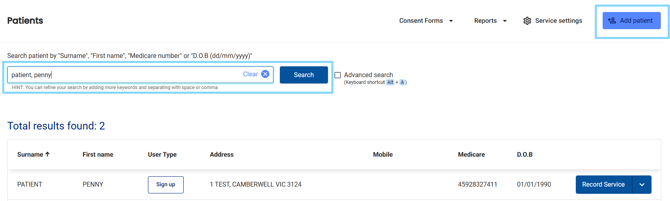
- In the left-hand menu select Patients

- Search for the patient or select from the recently dispensed list
-
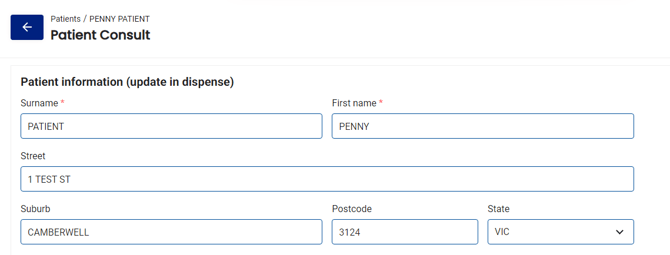
Select the Patient Consult

- Review and update the patient information making sure all compulsory fields are filled out
- Select your profile from the Pharmacist details section

- Select the tick box after the patient has consented to the service

- View the patient Medications from your dispense records and manually enter other medications
- Enter reason for consultation

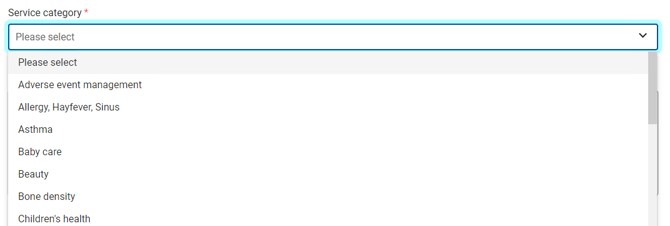
- Select Service category from the drop down list
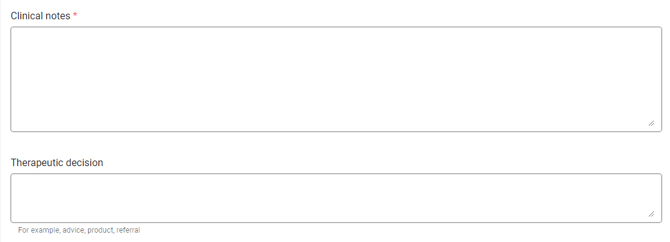
- Enter clinical notes and therapeutic decision
- Select follow up date (if applicable)

- Attach any supporting files or images
Please note: Any files that are uploaded can be attached to any secure communications sent via the Notifications and referrals section.
- Select the attachments you would like to include
- The Notification and referrals section allows you send a secure message to other health practitioners.
- At the bottom of the form (and the top), you may select Delete, Save draft or Complete - as long as all compulsory fields have been entered.