
To access your Calendar Settings to turn on/off SMS messages for booking confirmations and reminders, please follow these steps:
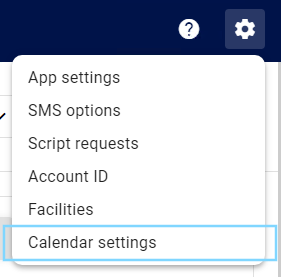
- Select Settings in the top right-hand corner of MedAdvisor for Pharmacy and select Calendar Settings
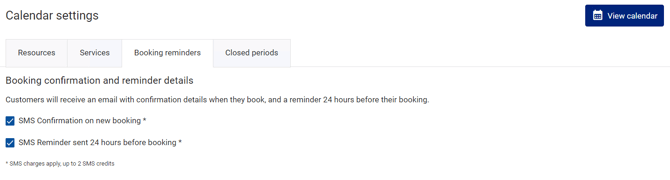
- Select the Booking reminders tab and tick boxes to enable/disable SMS messages for the following options
- Select Save if you made changes

More information on Calendar and settings can be found in the Bookings