To access your SMS options settings in MedAdvisor for Pharmacy, please follow these steps:
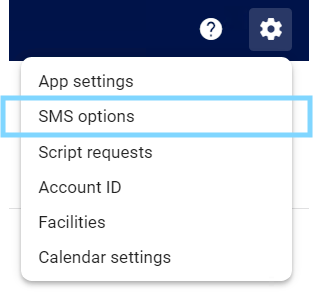
- Select Settings in the top right-hand corner of MedAdvisor for Pharmacy and select SMS options
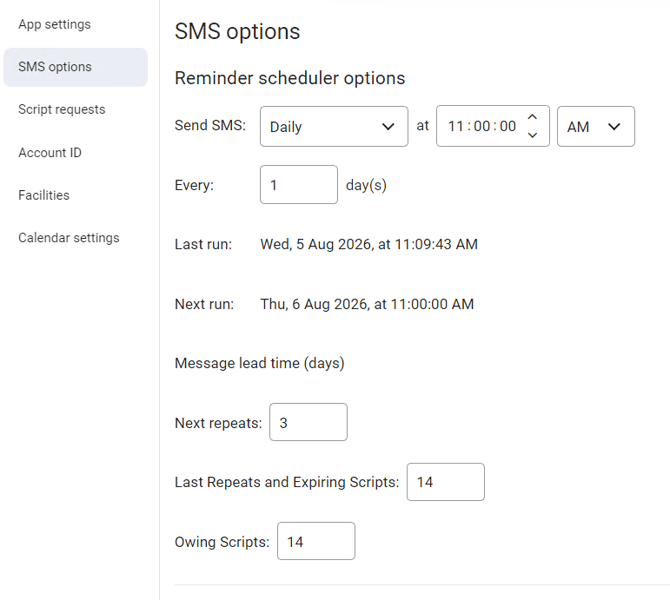
- Under SMS options, you can select when your SMS reminders are sent, message lead times
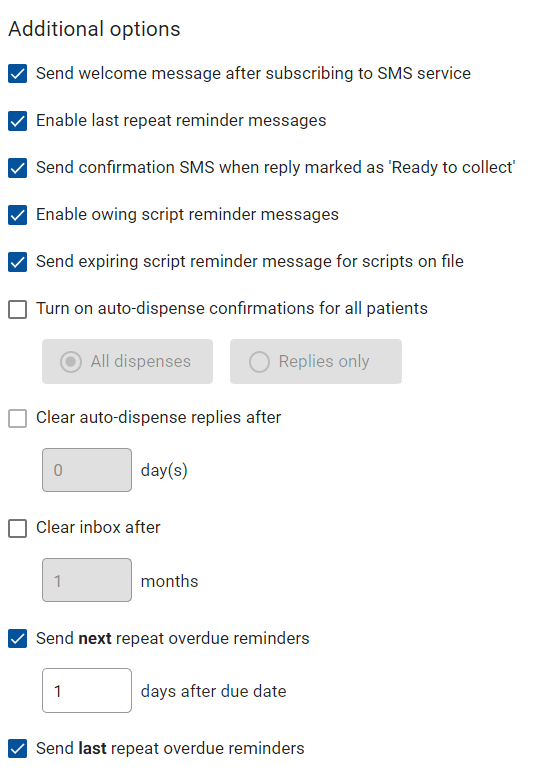
- Under Additional options select the tick boxes to enable specific message types including sending welcome messages, last repeat reminders and sending Ready to collect messages
- Select Save