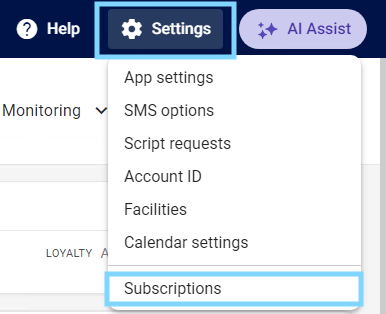
Medadvisor for Pharmacy web allows you to add an accountant user role. Accountant users can view Subscription information for your pharmacy, including:
Please note: You MUST be an admin on the web version to add users. The accountant role will not be able to access any other Medadvisor for Pharmacy functionality
To add an accountant role, please follow these steps:
- Previous subscription payments and remittances
- Update payment information
- Update pay in advance and delivery information
Please note: You MUST be an admin on the web version to add users. The accountant role will not be able to access any other Medadvisor for Pharmacy functionality
To add an accountant role, please follow these steps:
- Log in to the web version of Medadvisor for Pharmacy
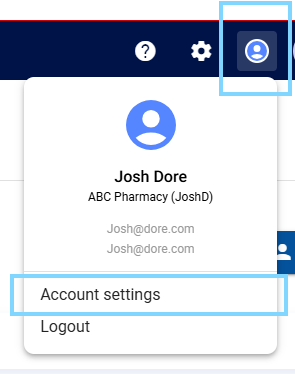
- Select the User management icon and select Account settings
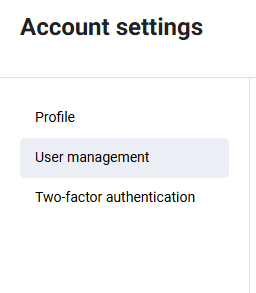
- Select User management
- Select + Invite user

- Enter the email address of the accountant and select Search
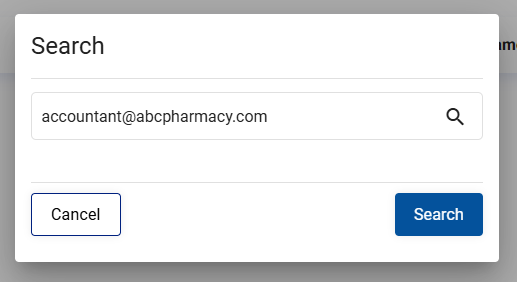
Please note: If the accountant user and email address have been added to multiple pharmacies they will be asked which pharmacy they would like to view when logging in.
- If the accountant user is new to the Medadvisor network, enter their first name, last name, username and select Accountant from the Role drop down
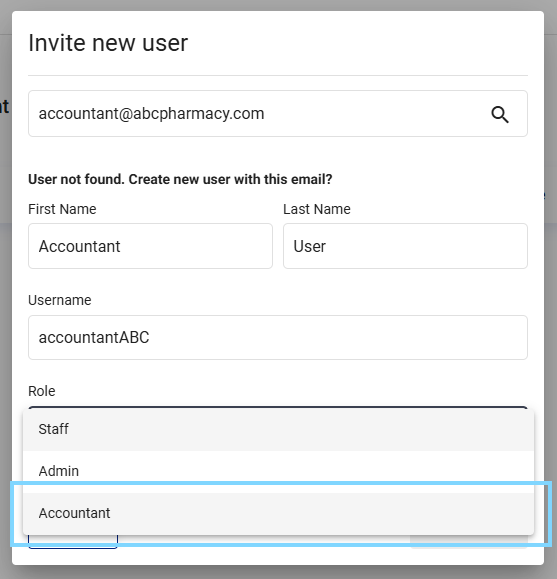
- Select Send Invite

The accountant will receive an e-mail and will be required to set up 2 factor authentication to login.
Once logged in, they will only be able to select Subscriptions from the Help menu. This will launch a pop-up where they can view and update your pharmacies subscriptions and payment information.