
To change a prescriber in Doctors - Request Scripts from inactive to active, please follow these steps:
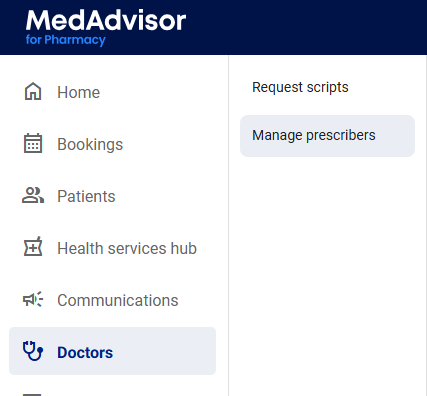
- Select Doctors in the menu

- Select Manage prescribers
- Search for the prescriber and select Search or view from the list

- Under the Active menu you will see a toggle. Switch the toggle to on. A green banner will appear with the status Successfully updated