
- Select the Help icon in the top right-hand corner of Medadvisor for Pharmacy to Launch remote support
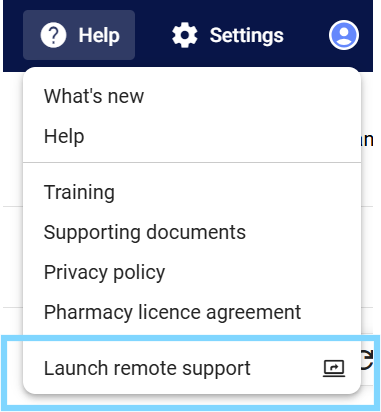
- Select Launch remote support when directed by a Medadvisor support agent. You will be given a unique code to give your support agent secure access to your computer to assist with technical support queries.
-1.png?width=670&height=330&name=image%20(39)-1.png)
Please note: If you are experiencing technical support issues, please launch a chat or email support@medadvisor.com.au to log you request or incident.