The following service forms include PREM/PROM consent and sending capability:
- Immunisation
- Flu Vaccination
- UTI (Initial & Follow up)
Ensure the PREMs/PROMs feature by form is set up in your Service Settings. CLICK HERE for more.
Please follow these steps:
- In the Patient information section, ensure the patients' mobile number is entered and confirmed
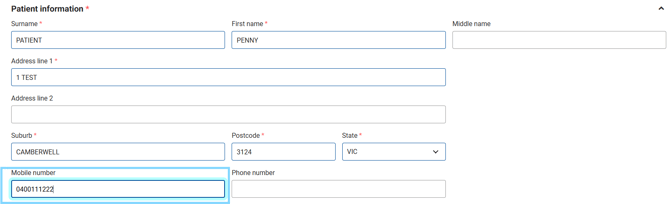
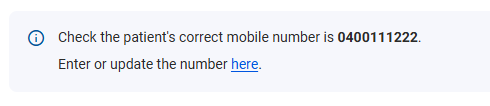
- The patients mobile number entered in the form will display. Select Enter or update the number here to update
- At the bottom of the form, you will see the Consent to PREM/PROM section. After asking the patient and providing them with the Patient Information (where applicable) select Yes, if the patient provides consent or No, if the patient declines.
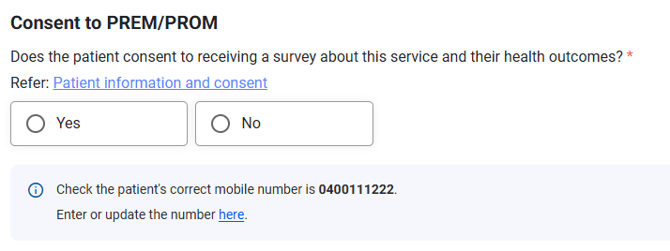
Please note: Select the Patient Information and consent link for more
- After all compulsory fields are entered, select Complete

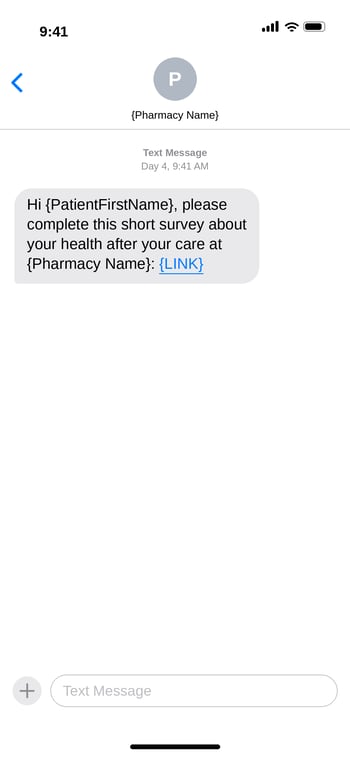
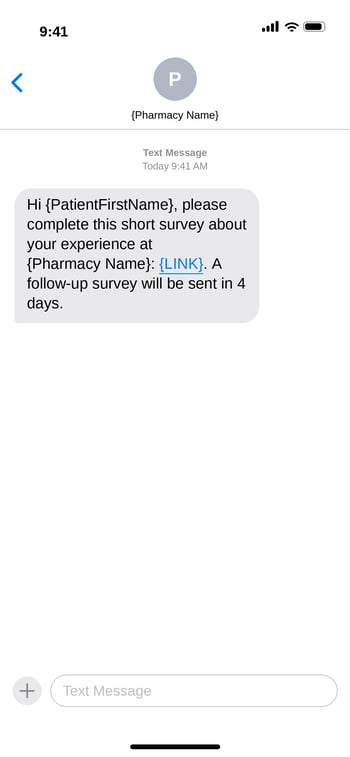
If the patient consents and Yes is selected, the patient will receive the first PREM message via SMS on the same day and four days later a PROM SMS message will be sent. The SMS has a link to the survey.
PREM (Patient-Reported Experience Measure) example
PROM (Patient-Reported Outcome Measure) example